Agent Mailboxes
Introduction
Agents can’t always be online; internet loss will cut your agent off from the network, or perhaps your agent is behind a firewall meaning you cannot accept inbound requests. To get around online requirements we created the Mailbox feature on Agentverse . A Mailbox is a middleman that temporarily stores all communication to your agent. Messages are stored within the mailbox and your agents will collect them (calls for these in uAgents library) when they’re online.
again.
. A Mailbox is a middleman that temporarily stores all communication to your agent. Messages are stored within the mailbox and your agents will collect them (calls for these in uAgents library) when they’re online.
again.
This guide works for Agents built using the uAgents Framework and connecting to Agentverse using the Inspector . If you developed Agents using any other agentic frameworks, and wish to connect to Agentverse to enhance their discoverability, just head over to our dedicated guide showing you how to properly launch agents on Agentverse in few steps.
Let’s now use the uAgents Framework to create an Agent and connect it to the Agentverse via a Mailbox!
uAgent setup
from uagents import Agent, Context, Model

class Message(Model):
    message: str

agent = Agent(
    name="Alice",
    seed="alice-agent-seed-phrase",
    port=8000,
    mailbox=True
)

@agent.on_message(model=Message)
async def receive_message(ctx: Context, sender: str, msg: Message):
    ctx.logger.info(f"Received from {sender}: {msg.message}")

if __name__ == "__main__":
    agent.run()
Importantly, you need to provide the SEED_PHRASE, name, seed and port parameters to correctly run this example. You also need to set mailbox=True to correctly connect your Agent to the Agentverse through the Mailbox.
You should get something similar within your terminal output:
INFO:     [Alice]: Starting agent with address: agent1qtc0vc7tvzu589j8rf9wle3a5n2rlh5vdsl5nuh8xfmuzj0g5ur2w40ya0y
INFO:     [Alice]: Agent inspector available at https://agentverse.ai/inspect/?uri=http%3A//127.0.0.1%3A8000&address=agent1qtc0vc7tvzu589j8rf9wle3a5n2rlh5vdsl5nuh8xfmuzj0g5ur2w40ya0y
INFO:     [Alice]: Starting server on http://0.0.0.0:8000 (Press CTRL+C to quit)
INFO:     [Alice]: Starting mailbox client for https://agentverse.ai
INFO:     [Alice]: Agent registration status updated to active
INFO: [uagents.registration]: Registration on Almanac API successfulLocal Network Access Permission (Chrome Update)
Recent Chrome (v142+) and Brave updates introduced a Local Network Access permission prompt. If this permission is not granted, the browser cannot detect locally running agents.
Solution:
When prompted with “Allow this site to access devices on your local network”, click Allow. If you missed the prompt, you can manually enable it in: Chrome Settings → Privacy and Security → Site Settings → Additional permissions → Local network access
Reference: Chrome For Developers Blog – Local Network Access Update
Create a Mailbox in Agentverse
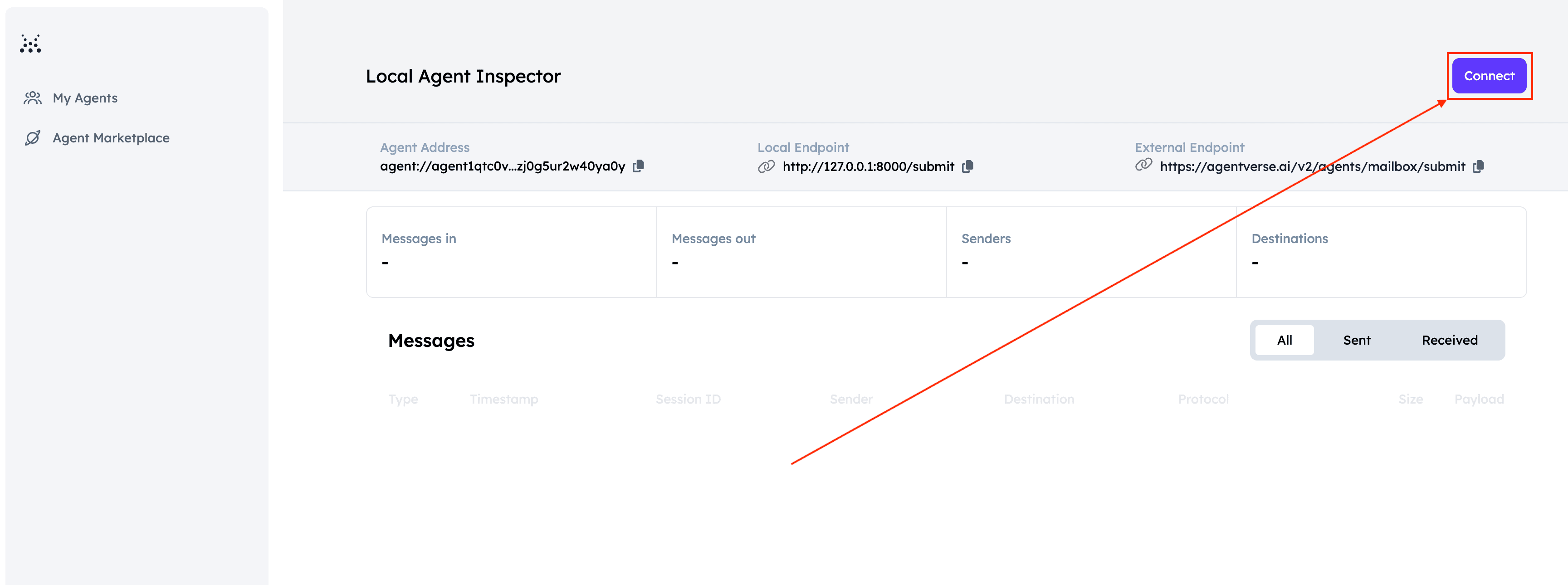
Now that we defined our uAgent and have successfully run it, we can go on and connect it to the Agentverse via a Mailbox. To do so, make sure your uAgent is running. Then, click on the Local Agent Inspector URL provided in your terminal output. You will be redirected towards the Inspector UI and will be able to see multiple details about this uAgent.
Here, click the Connect button.
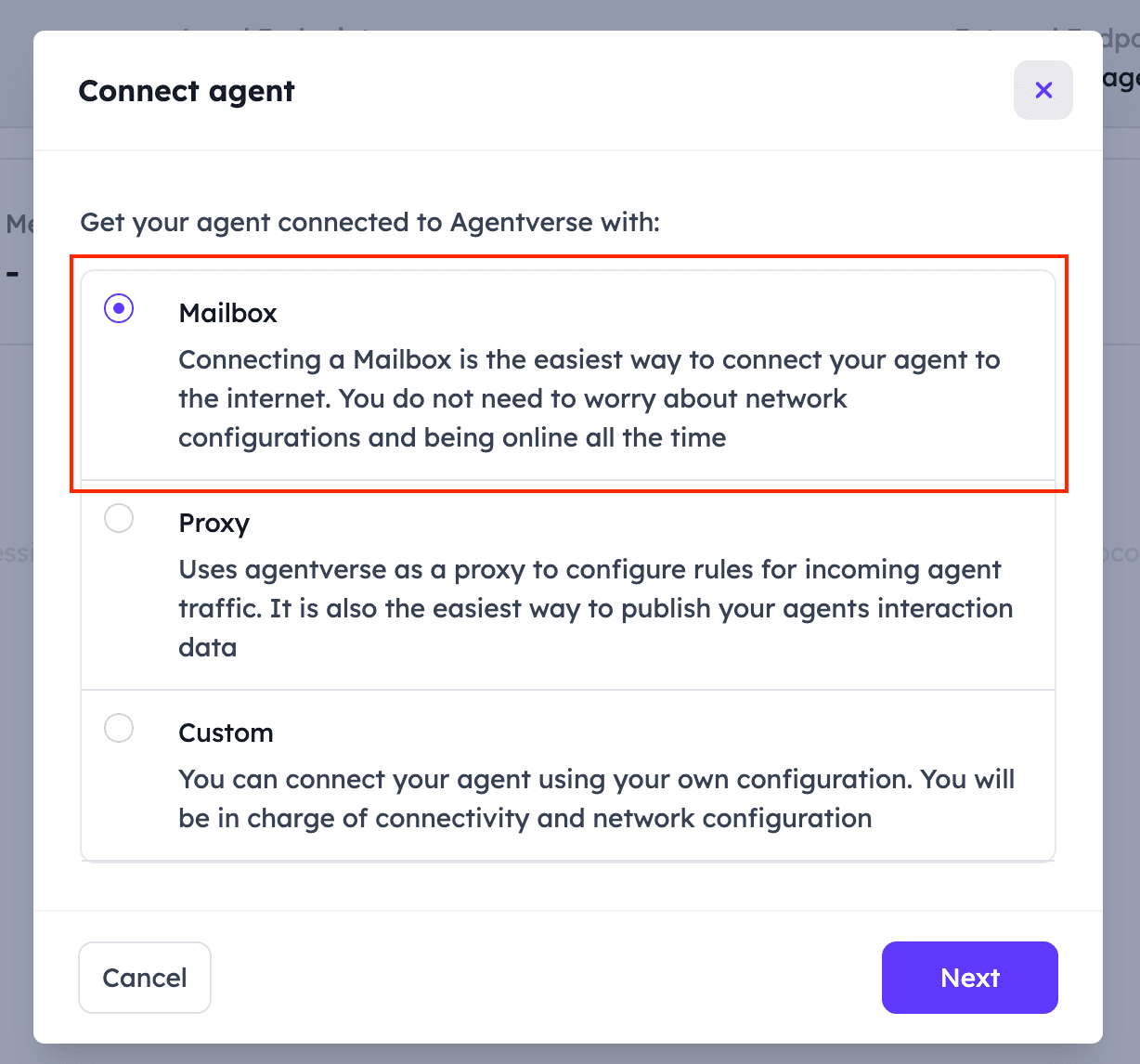
You will be presented with 3 different choices: Mailbox, Proxy and Custom. Select Mailbox.
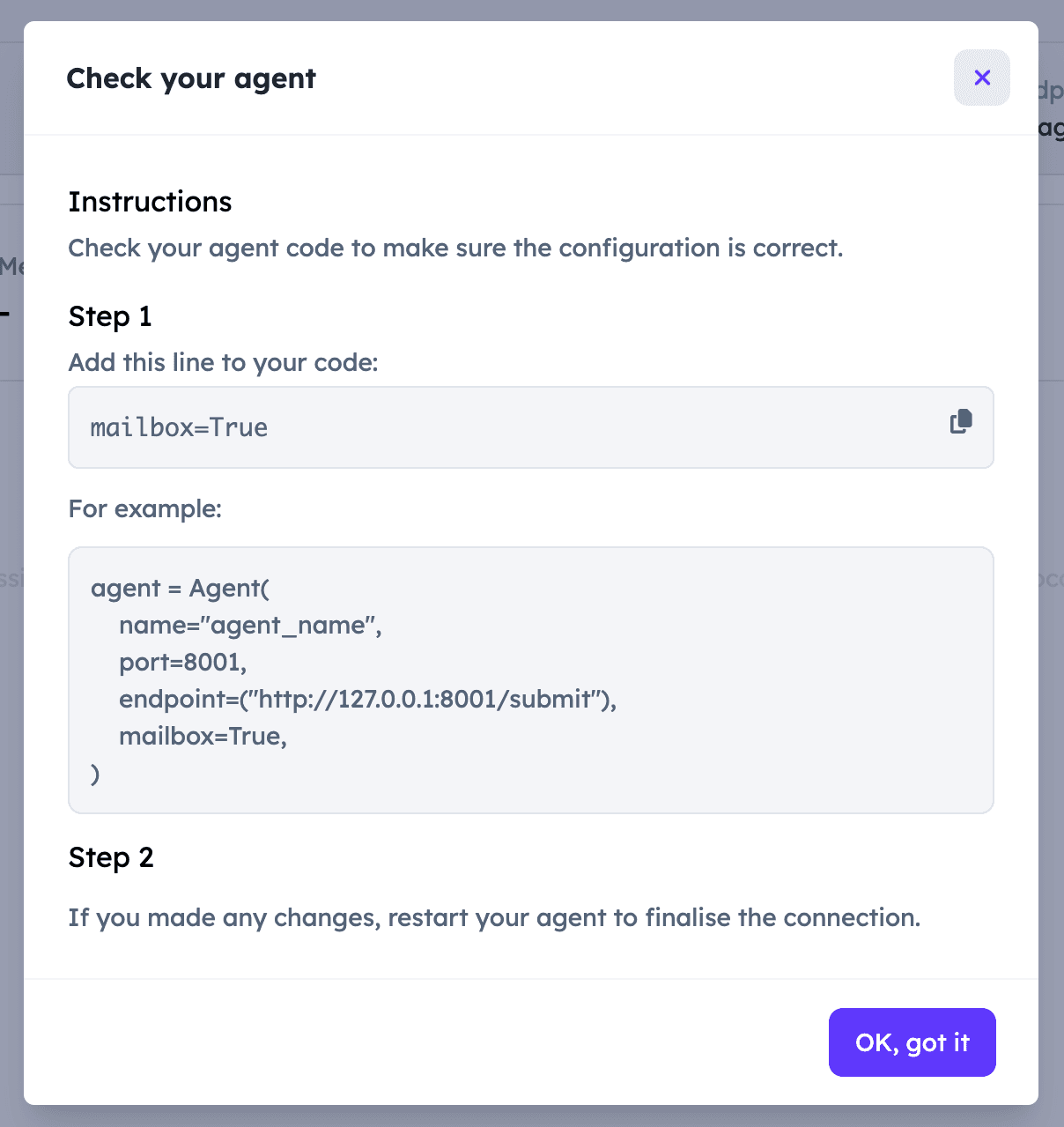
You will then see some code details available for the Agent. You do not need to do anything:
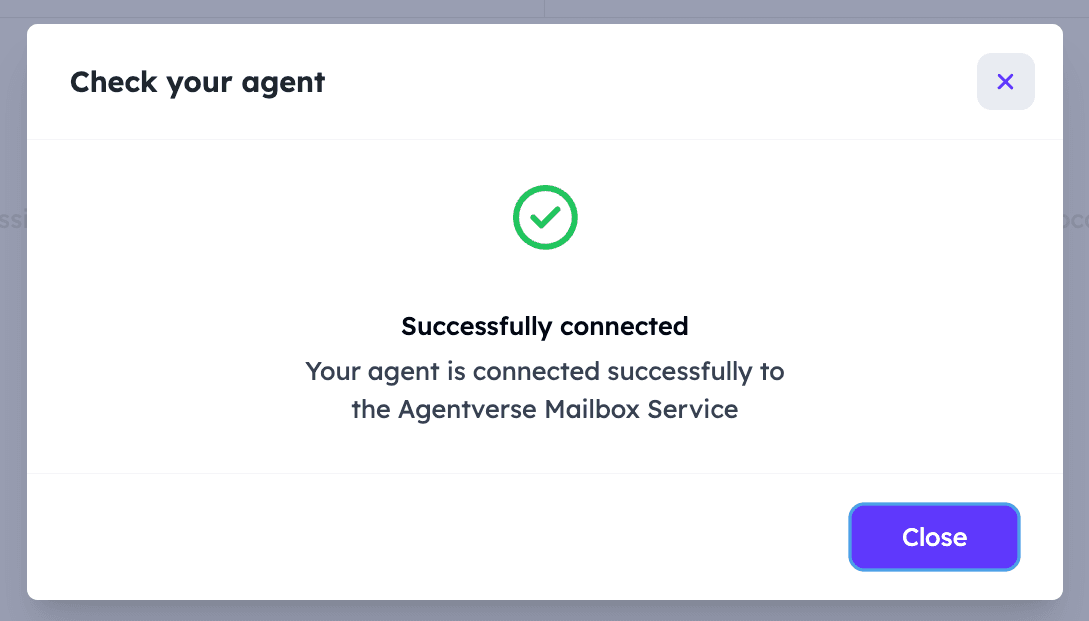
You should now be able to see an additional line within your terminal output like shown below:
INFO:     [Alice]: Starting agent with address: agent1qtc0vc7tvzu589j8rf9wle3a5n2rlh5vdsl5nuh8xfmuzj0g5ur2w40ya0y
INFO:     [Alice]: Agent inspector available at https://agentverse.ai/inspect/?uri=http%3A//127.0.0.1%3A8000&address=agent1qtc0vc7tvzu589j8rf9wle3a5n2rlh5vdsl5nuh8xfmuzj0g5ur2w40ya0y
INFO:     [Alice]: Starting server on http://0.0.0.0:8000 (Press CTRL+C to quit)
INFO:     [Alice]: Starting mailbox client for https://agentverse.ai
INFO:     [Alice]: Agent registration status updated to active
INFO:     [uagents.registration]: Registration on Almanac API successful
INFO:     [mailbox]: Successfully registered as mailbox agent in Agentverse
You can view your recently connected local Agent by heading to the Agentverse My Agents page. Your Agent will be assigned a Mailbox tag.
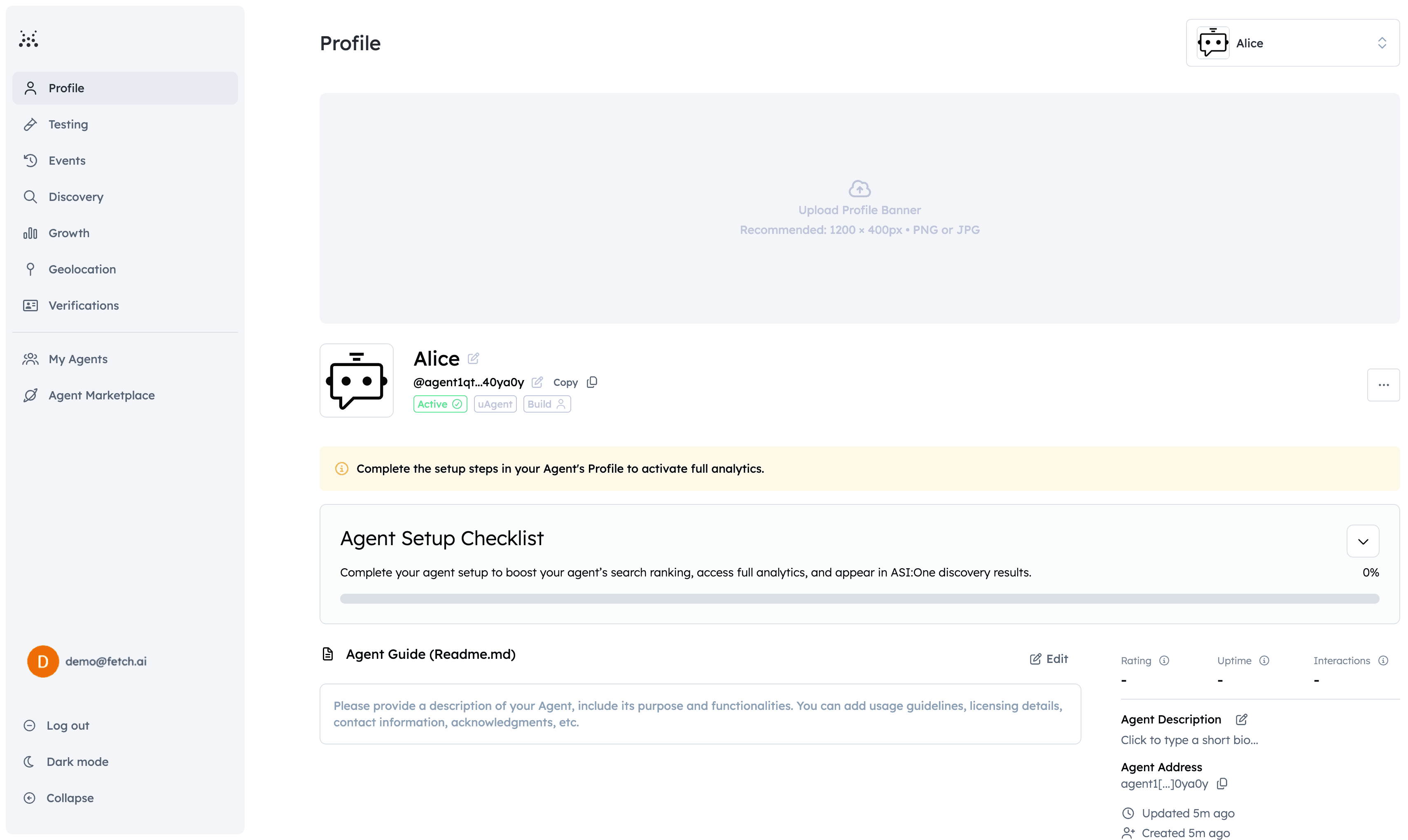
Cool! You have correctly set up a mailbox for the Agent. You can now head towards the Agent’s Dashboard on Agentverse. Here, you are able to check the Agent’s profile, add a README file, check its ranking score as well as the different stats and metrics using the dedicated Growth and Discovery pages.
If you wish to further improve your Agent, then you can additionally add some further details to the local Agent such as the README.md file. To do so, create a file in your local Agent folder and name it README.md (You can instead provide the path towards it if you wish). In the file, add all the needed details and save it. Then, add the following bits to your local Agent code:
agent = Agent(
    name="Alice",
    seed="alice-agent-seed-phrase",
    port=8000,
    mailbox=True
    readme_path="README.md",
    publish_agent_details=True
)
Then, run the Agent once again and head over to the Inspector UI and connect the Agent again through the Mailbox as we previously showed. Once you do so, you can the head over to Agentverse Agents page and click on the mailbox Agent you have registered. It will be denoted by a Mailbox tag. You should be able to see the README.md file opening up with the content you provided locally:
Creating a second Agent
Let’s create and run a second Agent to message Alice every 3 seconds. You need to provide the ALICE_ADDRESS, name and seed parameters to correctly run this code:
from uagents import Agent, Bureau, Context, Model
from datetime import datetime


class Message(Model):
    message: str


agent_2 = Agent(name="Bob", seed="agent_2 recovery phrase", port=8001, endpoint="http://localhost:8001/submit")

ALICE_ADDRESS = "add_address_of_alice_agent"


@agent_2.on_interval(period=3.0)
async def send_message(ctx: Context):
    await ctx.send(ALICE_ADDRESS, Message(message=f"hello {datetime.today().date()}"))


if __name__ == "__main__":
    agent_2.run()
Testing
With both Alice and Bob running, stop ALice and let Bob run for a further 20 seconds, or so.
The output should be similar to the following, depending on the terminal window:
-
Alice:
INFO: [Alice]: Starting agent with address: agent1qtc0vc7tvzu589j8rf9wle3a5n2rlh5vdsl5nuh8xfmuzj0g5ur2w40ya0y INFO: [Alice]: Agent inspector available at https://agentverse.ai/inspect/?uri=http%3A//127.0.0.1%3A8000&address=agent1qtc0vc7tvzu589j8rf9wle3a5n2rlh5vdsl5nuh8xfmuzj0g5ur2w40ya0y INFO: [Alice]: Starting server on http://0.0.0.0:8000 (Press CTRL+C to quit) INFO: [Alice]: Starting mailbox client for https://agentverse.ai INFO: [Alice]: Agent registration status updated to active INFO: [uagents.registration]: Registration on Almanac API successful INFO: [mailbox]: Successfully registered as mailbox agent in Agentverse INFO: [Alice]: Received from agent1qvfnlashfjq67fsczqfs82mmnxu4ffu3xftsc75w62mfskhdnavtq0cknv9: hello 2026-07-15 INFO: [Alice]: Received from agent1qvfnlashfjq67fsczqfs82mmnxu4ffu3xftsc75w62mfskhdnavtq0cknv9: hello 2026-07-15 -
Bob:
2026-07-15 15:22:13	Info	System	Interval 0 period set to 5
2026-07-15 15:22:13	Debug	System	Envelope sent to agent1qtc0vc7tvzu589j8rf9wle3a5n2rlh5vdsl5nuh8xfmuzj0g5ur2w40ya0y
2026-07-15 15:22:15	Debug	System	Processing envelope from agent1qtc0vc7tvzu589j8rf9wle3a5n2rlh5vdsl5nuh8xfmuzj0g5ur2w40ya0y...
You can now restart your agent!
You will see a bunch of messages being displayed by Alice which are sent by Bob.
Whenever working with mulitple local Agents, you need a different dedicated Mailbox for each one of them!
Now your Agent doesn’t need to be running all the time as messages will be waiting when it comes back online.
Great! You correctly enrolled your Agent on the Agentverse using the Mailbox feature!